


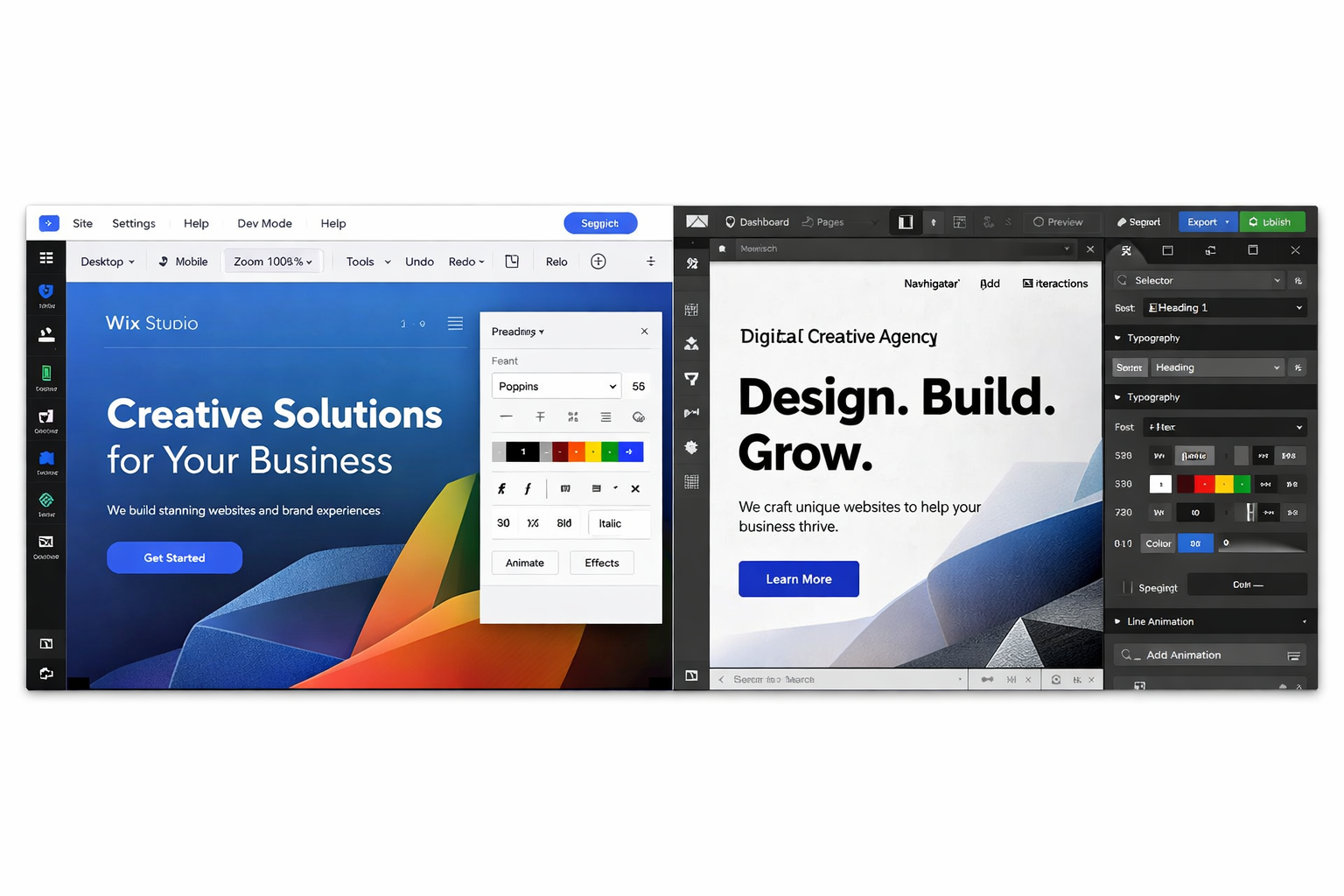
Wix vs Webflow is one of the most common comparisons when choosing a modern website builder in 2026. Both platforms allow users to build professional websites without traditional coding, but they are designed for different types of users and workflows.
Many businesses compare Wix vs Webflow because they want to understand which platform offers the best combination of design flexibility, SEO performance, CMS functionality, ecommerce tools, and ease of use.
In simple terms, Wix is usually the better option for beginners and businesses that want an all-in-one website platform with fast setup and built-in features. Webflow is often preferred by designers and agencies who want more control over layout, animations, responsive design, and front-end structure.
In this guide, we compare Wix and Webflow across design flexibility, ease of use, SEO capabilities, CMS structure, ecommerce features, pricing, performance, and real-world usability so you can choose the best website builder for your project.
Wix vs Webflow: Quick Comparison
What is the difference between Wix and Webflow?
The main difference between Wix and Webflow is that Wix is an all-in-one website builder designed for ease of use, while Webflow is a visual development platform that gives designers more control over layout, CSS structure, and advanced interactions.
Wix focuses on simplicity and built-in business features, while Webflow focuses on design precision and front-end flexibility.
Feature | Wix | Webflow |
Ease of use | Very beginner friendly | Moderate to steep learning curve |
Design flexibility | High | Extremely high |
SEO tools | Built-in SEO ecosystem | Advanced technical control |
CMS | Built-in content manager | Advanced CMS collections |
Ecommerce | Built-in store features | Flexible but more complex |
Hosting | Included | Included |
Best for | Businesses, beginners, fast launches | Designers, agencies, custom builds |
Both platforms can create professional websites, but they differ significantly in workflow, editing experience, and design freedom.
Category Winners
Category | Winner |
Ease of use | Wix |
Design flexibility | Webflow |
SEO capabilities | Tie |
Pricing simplicity | Wix |
CMS flexibility | Webflow |
Best for beginners | Wix |
Best for designers | Webflow |
Fastest to launch | Wix |
This comparison already shows the pattern: Wix is usually stronger for simplicity and speed, while Webflow is stronger for precision and customization.
Wix vs Webflow: The Most Important Difference
The biggest difference between Wix and Webflow is not just features. It is how each platform thinks about website building.
Wix is designed as an integrated website ecosystem. It tries to make website creation accessible by combining design tools, hosting, SEO settings, apps, business features, and ecommerce in one platform.
Webflow is designed more like a visual front-end builder. It gives users greater control over layout, structure, and interactions, but it expects a stronger understanding of how websites work.
That means the best choice often depends on questions like:
Do you want to publish quickly?
Will clients or team members edit the site themselves?
Do you need advanced layout control?
Is the site mainly about conversion, or mainly about design presentation?
Do you need a simple CMS or a more advanced content architecture?
Design Flexibility: Wix vs Webflow
Design flexibility is where Webflow has traditionally built its reputation.
Webflow allows users to manipulate CSS-like properties visually, including margins, padding, grid, flexbox, positioning, and interactions. For designers who want precise control over how every section behaves across breakpoints, Webflow is usually the stronger platform.
What Webflow does better
visual CSS-style layout control
advanced interactions and animations
flexible grid and flexbox systems
custom responsive behavior
stronger control for design systems
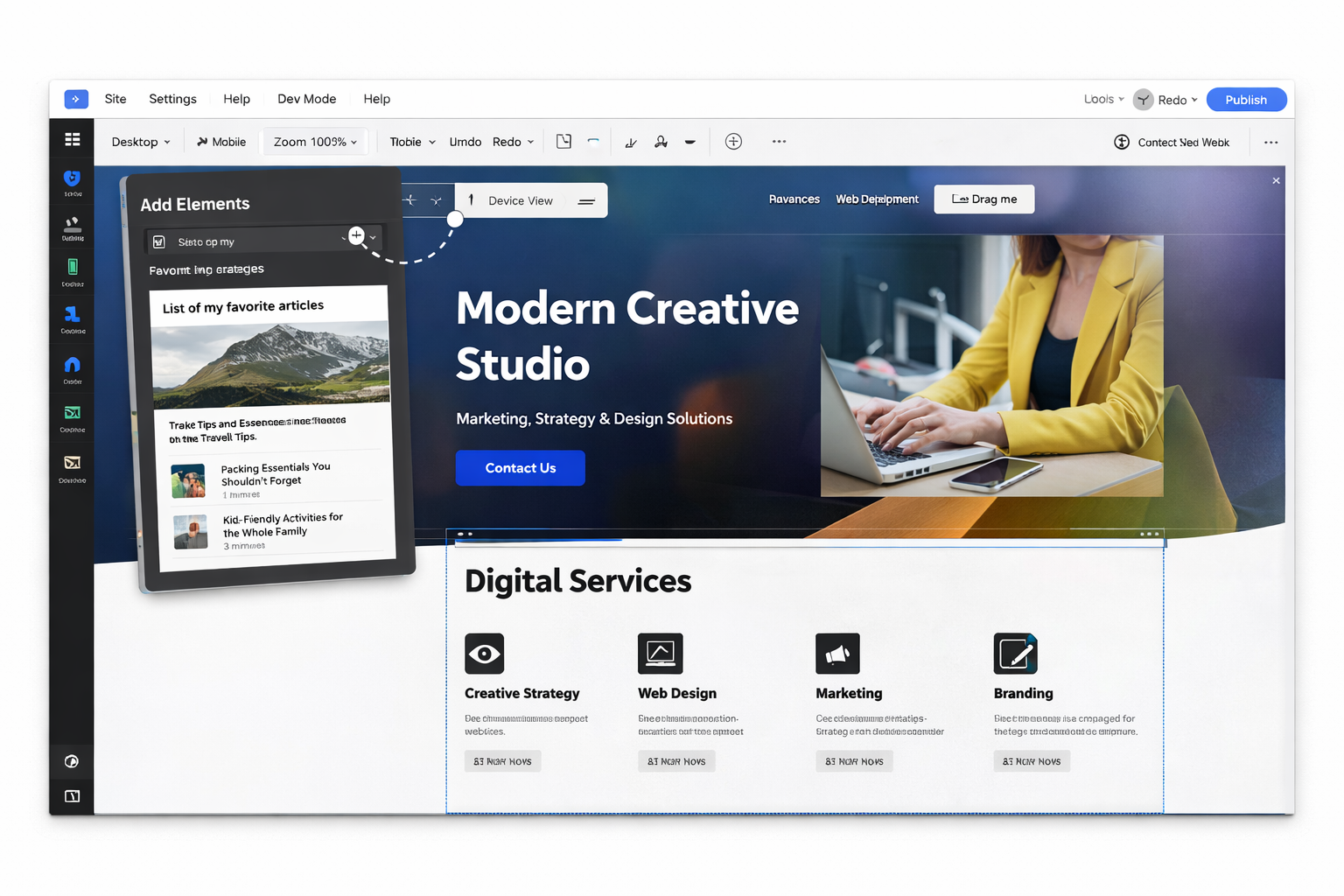
Wix also offers strong design flexibility, especially with Wix Studio, which is much more advanced than the standard Wix editor. Wix Studio includes responsive layouts, reusable sections, and more professional control than many people expect.
What Wix does well
intuitive visual editing
responsive section-based layouts
reusable components
large template ecosystem
faster design workflow for business sites
Design comparison | Winner |
Ease of designing pages quickly | Wix |
Advanced layout control | Webflow |
Animation capability | Webflow |
Faster workflow for standard business websites | Wix |
In practice, Webflow offers more design freedom, while Wix usually helps teams publish faster with less technical overhead.

Wix Studio vs Standard Wix: Important Context
One reason many Wix vs Webflow comparisons are incomplete is that they do not distinguish clearly between standard Wix and Wix Studio.
That distinction matters.
Standard Wix is designed more for beginners and small business owners who want a simpler drag-and-drop experience.
Wix Studio is the more professional version of Wix’s ecosystem and is better suited for agencies, freelancers, and advanced users who need responsive layouts, reusable components, and more scalable workflows.
So when comparing Wix with Webflow in 2026, the most relevant comparison is often:
Wix Studio vs Webflow, not just standard Wix vs Webflow.
That does not mean Wix Studio matches Webflow in every advanced design area, but it makes the gap much smaller than many older articles suggest.
Ease of Use
Ease of use is one of Wix’s biggest strengths.
Wix is built for users who want to create and manage a website without learning the logic of front-end development. The interface is more forgiving, the workflows are simpler, and many business features are already built in.
Wix usability advantages
intuitive drag-and-drop editing
simpler onboarding
guided setup
easier handoff to non-technical users
built-in tools for forms, bookings, blogs, and stores
Webflow is more demanding. It is not traditional coding, but it still requires users to think more like a designer or front-end builder.
Users often need to understand:
HTML structure
CSS layout principles
responsive design behavior
class systems
interactions and component logic
Ease of use comparison | Wix | Webflow |
Beginner friendly | ⭐⭐⭐⭐⭐ | ⭐⭐ |
Learning curve | Low | Medium to high |
Design freedom | ⭐⭐⭐⭐ | ⭐⭐⭐⭐⭐ |
Client-friendly editing | Strong | Moderate |
For most beginners, small businesses, and teams that want simple day-to-day editing, Wix is easier to learn and manage.
Wix AI vs Webflow AI Tools
Artificial intelligence is becoming an important part of modern website builders. Both Wix and Webflow have introduced AI features that help users design pages, generate content, and speed up development workflows.
Wix AI features
Wix has invested heavily in AI tools that help users create websites quickly.
Examples include:
AI website generation
AI text and content suggestions
automated layout creation
AI image tools
AI-assisted SEO setup
AI-Agents, Kleo, Juno and Omni
These tools make Wix especially useful for beginners who want to launch a website quickly without designing everything manually.
Webflow AI features
Webflow’s AI tools focus more on improving design and content workflows rather than generating full websites automatically.
Examples include:
AI layout assistance
content generation tools
design optimization suggestions
workflow automation
For experienced designers and developers, these tools help speed up production without reducing design control.
Wix vs Webflow for SEO
SEO is one of the most misunderstood parts of this comparison.
Both Wix and Webflow can rank well in Google. Neither platform automatically guarantees strong rankings, and neither platform automatically prevents them. In most cases, content quality, technical setup, internal linking, site structure, and search intent matter more than the platform itself.
SEO features available on both platforms
customizable meta titles and descriptions
SEO-friendly URLs
XML sitemaps
structured data support
mobile optimization
secure hosting
integration with Google Search Console
Wix SEO strengths
beginner-friendly SEO settings
guided SEO workflows
page-level SEO controls
built-in setup tools for less technical users
Webflow SEO strengths
cleaner code output
more technical control
stronger control over semantic structure
flexible canonical and metadata management
good fit for advanced SEO workflows
SEO comparison | Wix | Webflow |
Beginner SEO tools | ⭐⭐⭐⭐⭐ | ⭐⭐⭐ |
Technical SEO control | ⭐⭐⭐ | ⭐⭐⭐⭐⭐ |
Overall SEO capability | ⭐⭐⭐⭐ | ⭐⭐⭐⭐ |
Best for non-technical teams | Wix | |
Best for advanced control | Webflow |
In short, Wix makes SEO easier to manage, while Webflow gives advanced users more control.
Real-World Usability: What Teams Usually Notice First
In real projects, the first differences between Wix and Webflow usually appear in three areas:
how fast the first version of the site goes live
how easy the site is to edit after launch
how much design precision is possible without workarounds
For example, a service business website, brochure site, or simple marketing website is often faster to launch in Wix. A portfolio site, interactive brand site, or heavily customized layout is often easier to execute properly in Webflow.
That does not mean one platform is always better. It means each platform introduces different trade-offs.
Usability factor | Wix | Webflow |
Speed to first publish | Faster | Slower |
Editing after launch | Easier | More technical |
Layout precision | Good | Excellent |
Best for self-managed sites | Strong | Moderate |
Best for design-led builds | Good | Strong |
CMS and Content Management
Content management is another important difference.
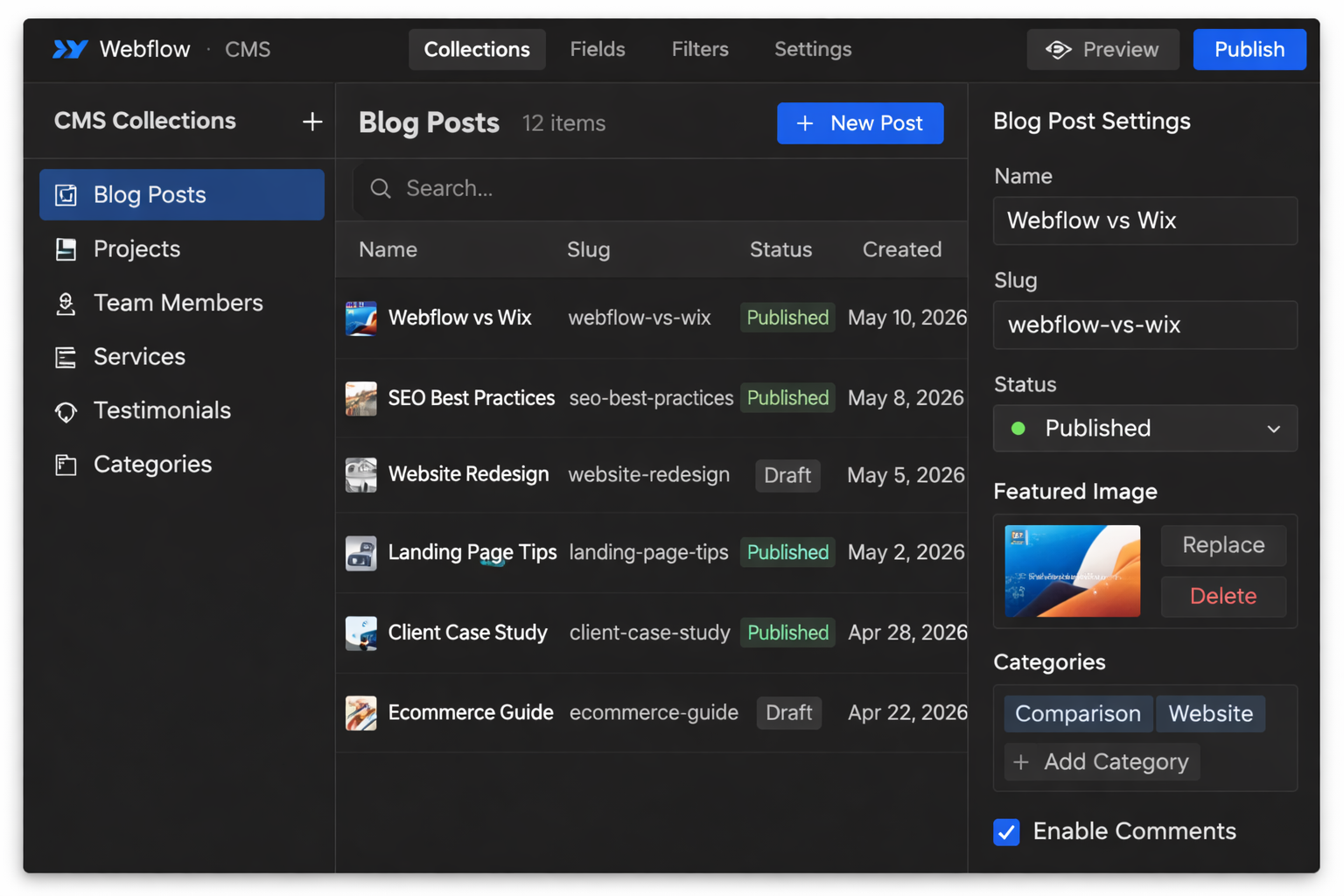
Webflow’s CMS is especially strong for structured dynamic content. It works well for directories, portfolios, case studies, complex blogs, and websites that need advanced content relationships and filtering.
Webflow CMS strengths
custom collections
dynamic templates
flexible content modeling
advanced filtering and sorting
strong fit for agency and developer workflows
Wix also includes a capable CMS through its content manager and dynamic pages. For many business websites, it is more than enough.
Wix CMS strengths
dynamic pages
easier content editing
integrated blogging tools
simple management for non-technical teams
smoother day-to-day editing
CMS comparison | Winner |
Easier content editing | Wix |
Advanced dynamic content control | Webflow |
Best for simple business content workflows | Wix |
Best for complex CMS structures | Webflow |
If your website depends heavily on structured content and advanced relationships, Webflow usually has the edge. If you want a simpler CMS that clients can actually use without confusion, Wix is often the better choice.
Migrating Between Wix and Webflow
Businesses sometimes move between website platforms as their needs change. Migrating from Wix to Webflow or from Webflow to Wix is possible, but the process usually requires rebuilding parts of the website.
Important migration considerations include:
design reconstruction
CMS content transfer
SEO redirects
URL structure changes
media and asset migration
Moving from Wix to Webflow often requires recreating layouts inside the Webflow Designer, while moving from Webflow to Wix usually means adapting design flexibility to Wix’s structured editing environment.
Planning the migration carefully helps preserve SEO rankings and avoid broken links.
Ecommerce Capabilities
For ecommerce websites, the best platform depends on what kind of store you are building.
Wix is usually easier for launching straightforward ecommerce stores because many features are already built in.
Wix ecommerce strengths
easier store setup
product management
payment integrations
shipping settings
inventory tools
built-in business features
Webflow ecommerce is more design-flexible, but often more complex to configure and manage.
Webflow ecommerce strengths
stronger visual customization
more control over storefront design
better fit for design-led product experiences
Ecommerce comparison | Winner |
Faster store setup | Wix |
Design customization | Webflow |
Better for small to medium standard stores | Wix |
Better for custom visual storefronts | Webflow |
If the goal is to launch a practical online store quickly, Wix is often the easier platform. If the goal is a more custom brand presentation, Webflow may be better.
Performance and Hosting
Both Wix and Webflow provide managed hosting, which is useful for businesses that do not want to deal with servers, updates, or security infrastructure manually.
Performance also depends heavily on how websites are built within the platform. Factors such as image optimization, layout complexity, script usage, and third-party integrations can significantly influence loading speed and Core Web Vitals.
Important performance factors include:
page speed optimization
Core Web Vitals scores
image compression
lazy loading
JavaScript usage
CDN distribution
Webflow often provides stronger control over front-end performance because designers can manage layout structure and code behavior more directly.
Performance metric | Wix | Webflow |
Hosting | Managed cloud hosting | Managed cloud hosting |
Global CDN | Yes | Yes |
SSL / HTTPS | Yes | Yes |
Code control | Limited | Advanced |
Core Web Vitals potential | Good | Very good |
Webflow generally has the advantage in code cleanliness and technical control, which can help performance-focused teams. Wix has improved significantly over the past few years and is much stronger than older comparisons often suggest.
For most business websites, both platforms are fast enough when built properly. For teams that want maximum front-end performance control, Webflow has the stronger ceiling.
Pricing Comparison
Pricing is another area where the difference is not just about plan cost, but also about workflow and maintenance.
Platform | Pricing model |
Wix | Simpler bundled plans |
Webflow | Site plans + workspace plans |
Wix pricing is easier for most users to understand because hosting and platform features are bundled more clearly. Webflow can become more complex depending on workspace usage, CMS needs, and the number of projects involved.
In many cases:
Wix is simpler to budget for
Webflow is more flexible but less straightforward
total project cost also depends on build time and maintenance hours
For budget-conscious businesses, Wix is often the more predictable option.
Templates and Ecosystem
Templates matter because they affect how quickly a project can start.
Feature | Wix | Webflow |
Template library | Very large | Smaller |
Ease of starting quickly | Strong | Moderate |
Customization depth | Good | Excellent |
Best for rapid launch | Wix | |
Best for highly custom design systems | Webflow |
Wix offers a broad template ecosystem and is usually better for users who want to start quickly. Webflow templates are often used more as design foundations for custom builds rather than ready-to-go business templates.

Examples of Websites Built with Wix and Webflow
Looking at real websites can help illustrate how each platform is typically used.
Typical Wix websites
Wix is commonly used for:
small business websites
service company sites
local business websites
restaurants
online stores
personal portfolios
These websites usually prioritize quick setup, built-in functionality, and easy editing after launch.
Typical Webflow websites
Webflow is often used for:
design-focused brand websites
creative portfolios
startup marketing websites
interactive landing pages
agency websites
These websites often focus on visual storytelling, advanced animations, and precise layout control.
Wix vs Webflow for Different Use Cases
Best for Beginners
Wix is usually the better choice for beginners because the platform is easier to learn and easier to manage after launch.
Best for Designers
Webflow is usually better for designers who need precise layout control, interactions, and a more advanced front-end workflow.
Best for Agencies
Agencies often use both. Wix Studio is useful for faster delivery and easier client handoff, while Webflow is useful for design-heavy and highly customized projects.
Best for Small Businesses
Wix is often the better fit for small businesses that want simplicity, speed, and built-in tools.
Best for Content-Driven Websites
Webflow is usually stronger for advanced CMS structures, while Wix is easier for simpler publishing workflows.
Best for Ecommerce
Wix is often better for practical store launches. Webflow is often better for custom-designed storefront experiences.
Final Decision Table
If you want… | Choose |
A beginner-friendly website builder | Wix |
Full design control | Webflow |
Fast website launch | Wix |
Advanced animations and interactions | Webflow |
An all-in-one website platform | Wix |
A more technical design workflow | Webflow |
Easier client or team editing | Wix |
Maximum design flexibility | Webflow |
Final Verdict
Wix and Webflow are both strong website builders in 2026, but they serve different priorities.
Wix is generally the better choice for businesses, beginners, and teams that want a simpler all-in-one platform with easier editing, faster launches, and more built-in functionality.
Webflow is generally the better choice for designers, advanced users, and agencies that need more control over layout, animation, CMS architecture, and front-end behavior.
For most standard business websites, Wix is the easier and more practical option. For more custom, design-led, or technically demanding projects, Webflow is often the stronger choice.
FAQ
Is Wix better than Webflow?
Wix is better for beginners, small businesses, and users who want an all-in-one website builder. Webflow is better for advanced users who need more design control.
Is Webflow better for SEO than Wix?
Not automatically. Webflow offers more technical control, but Wix also supports strong SEO features. Rankings usually depend more on content quality and strategy than the platform alone.
Is Wix cheaper than Webflow?
Wix usually has simpler pricing and is often easier to budget for. Webflow can become more complex because of site plans and workspace plans.
Which platform is better for beginners?
Wix is generally better for beginners because it has a lower learning curve and a more intuitive editing experience.
Is Webflow harder to learn than Wix?
Yes. Webflow requires a stronger understanding of layout systems, responsive design, and front-end structure.
Can Wix websites rank well in Google?
Yes. Wix websites can rank well in Google when they are built with strong content, proper site structure, technical SEO, and relevant internal linking.
Which platform is better for ecommerce?
Wix is often better for straightforward ecommerce stores, while Webflow is stronger for custom-designed ecommerce experiences.
Is Wix Studio the same as standard Wix?
No. Wix Studio is the more advanced, professional version of Wix and offers stronger responsive design and workflow features than standard Wix.
Is Webflow faster than Wix?
Webflow can achieve slightly better performance because it offers more control over layout structure and front-end code. However, Wix websites can also perform well when they are properly optimized.
Can you move from Wix to Webflow?
Yes, but the process usually requires rebuilding the website inside Webflow. Content can often be migrated, but layouts and design elements usually need to be recreated.
Do designers prefer Webflow over Wix?
Many designers prefer Webflow because it provides more control over layout, responsive design, and animations. However, Wix Studio has narrowed the gap for professional design workflows.
Author
Barry Roodnat
Founder - We-Optimizz
Semrush Certified SEO Specialist
Barry leads We-Optimizz, a digital agency focused on SEO, website development, and scalable digital growth. The agency has worked on projects across multiple industries and uses both Wix Studio and Webflow depending on project goals, design needs, and content requirements.
Barry has worked with both Wix Studio and Webflow on dozens of websites, including business websites, marketing platforms, and SEO-focused content sites.
This hands-on experience helps determine which platform performs best for different project types.