


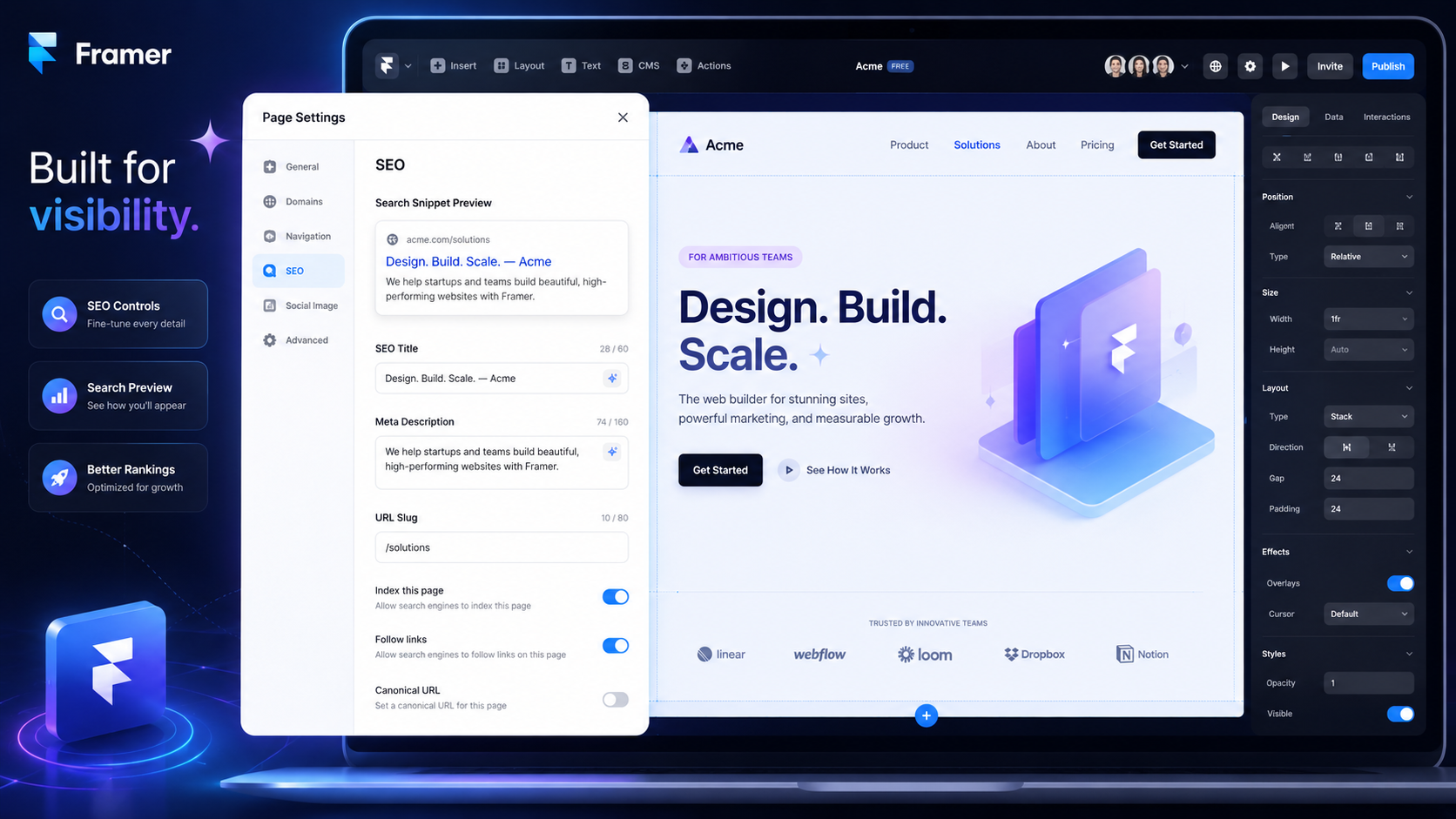
Framer ships with many of the SEO controls a business website needs: editable meta tags, clean URLs, sitemap.xml, robots.txt, redirects, and JSON-LD structured data through custom code. No plugin stack or developer ticket is required for the basics.
The tools are also where the conversation usually stops. Framer SEO isn't what the platform gives you out of the box; it's what you do with the controls Framer provides - keyword targeting, content architecture, internal linking, schema implementation, and GEO formatting for AI search visibility. Framer gives you much of the technical foundation. Strategy stays your job.
Most teams work on Framer SEO because they want a faster site, cleaner indexing, stronger rankings, and better visibility in both Google and AI search results. This guide is a working checklist. Each section covers what to actually configure, what to write, and what to verify before and after launch.
If you're earlier in the decision process, our team covers the broader strategy in the complete Framer website design and SEO guide
Table of contents
Is a Framer website good for SEO?
Framer SEO checklist: technical foundation
Framer SEO checklist: structured data
Framer SEO checklist: performance
Framer SEO checklist: content architecture
Framer SEO checklist: GEO and AI search visibility
Framer SEO checklist: pre-launch verification
Framer SEO checklist: post-launch
When Framer SEO needs more than the checklist
FAQ
Is a Framer website good for SEO?
Yes, when it's built with strategy. Framer provides the technical SEO foundation by default - managed hosting with CDN delivery as a strong performance baseline, editable metadata per page, clean URL slugs, sitemap.xml generation, robots.txt configuration, redirect handling, and JSON-LD structured data via custom code. Most core SEO controls are available directly inside Framer, without relying on a plugin stack.
What Framer doesn't do is decide which keywords your pages target, how your topical clusters are structured, where your internal links route authority, what schema entities your business needs, or how your content is formatted for AI search engines. Those are strategic decisions that sit on top of the platform.
A Framer site with good controls and no strategy has the same problem as a WordPress site with twenty plugins and no strategy: the foundation may be fine, but rankings are unlikely to scale for competitive queries without intentional architecture.
Framer SEO checklist: technical foundation
These are the controls Framer gives you. Configure them before launch - changing URLs, metadata, schema, and redirects later usually creates avoidable rework.
Page titles and meta descriptions.
Set unique title tags and meta descriptions on every page through Framer's page settings. Title tags should include the primary keyword early; descriptions should describe the page accurately, usually within roughly 140–160 characters, so they remain useful in search results. Don't leave defaults - Framer's auto-generated metadata isn't optimised for search.
URL slugs.
Use short, lowercase, hyphenated slugs that include the primary keyword. Configure them in page settings before publishing - changing slugs after launch requires redirect setup.
Sitemap.xml.
Framer generates a sitemap automatically. Verify which pages appear in it, and keep utility pages such as thank-you pages or draft routes out of the index where possible. Submit the sitemap to Google Search Console after launch.
Robots.txt.
Configure crawler access through Framer's site settings. Block utility paths that shouldn't be indexed; allow everything else. Avoid the common mistake of leaving production sites with Disallow: / carried over from staging.
Canonical tags.
Check canonical URLs on pages that may have duplicate content variants, especially CMS detail pages or pages reachable through multiple paths. Where Framer's default canonical handling isn't enough, implement the correct canonical through custom code.
Heading hierarchy.
Use one H1 per page and descriptive H2s for major sections. Reserve lower-level headings for genuine sub-topics, not visual styling - that's what design system styles are for.
Image optimisation.
Framer handles compression and responsive serving automatically. What it doesn't do is write descriptive alt text - that's a manual job. Every meaningful image needs alt text describing the image and incorporating relevant keywords naturally where possible.
Internal linking.
Framer treats internal links the same as any other link - there's no automated internal link suggestion, no orphan-page warning. Plan your link architecture in advance: pillar pages receive links from supporting content, supporting content links upward to pillars, related posts cross-link laterally.
Redirects.
Framer's redirect system handles 301s through site settings. Map every redirect when migrating from another platform; missing redirects on important URLs can reduce traffic and slow recovery after migration. Our team covers the full process in the Framer migration guide.
Framer SEO checklist: structured data
Schema markup is where most Framer sites underperform - not because the platform doesn't support it, but because schema isn't part of Framer's default workflow. You add JSON-LD via custom code in page settings.
The schema types worth implementing on most business sites:
Organization schema on the homepage, with name, URL, logo, contact info, and social profiles
LocalBusiness schema for location-based service businesses, where address, service area, opening hours, and contact details matter
Article schema on blog posts and guides, with headline, author, datePublished, dateModified, and image
FAQPage schema on pages with FAQ sections, with each question and answer in the structured format
Service schema on service pages, with serviceType, provider, areaServed, and description
BreadcrumbList schema on category and detail pages, helping search engines understand site hierarchy
Each JSON-LD block goes into the page's custom code section in Framer. Validate every implementation through Google's Rich Results Test before publishing - invalid schema may be ignored or make a page ineligible for rich results, so validation is essential before publishing.
For CMS-driven pages (blog posts, case studies, team profiles), use Framer's CMS fields and template-level custom code where available so schema can be populated consistently across entries. Set this up at the CMS template level, not per-page.
Framer SEO checklist: performance
Framer's managed hosting and CDN delivery handle baseline performance well. The optimisation work is mostly about not breaking that baseline.
Image weight.
Framer auto-compresses, but oversized source images still cost page weight. Upload images at the resolution you actually need; don't ship 4000px hero images for a 1200px container.
Animations and interactions.
Heavy animation chains can affect Cumulative Layout Shift and Interaction to Next Paint. Test pages with lots of motion in PageSpeed Insights before launch - visual richness has a performance cost worth measuring.
Video and background media.
Compress video aggressively, avoid autoplay where it doesn't support conversion, and replace decorative motion with lighter assets where possible. Hero videos and Lottie animations are common Framer performance killers.
Embeds and third-party scripts.
Framer lets you embed almost anything - calendars, chat widgets, video players, analytics, tag managers. Each external script adds load time and potentially blocks rendering. Audit what's actually needed; defer what isn't critical.
Font loading.
Custom fonts can introduce layout shift if not handled carefully. Framer's font system is generally good, but verify with PageSpeed Insights that font loading isn't degrading Core Web Vitals.
Tracking scripts.
Google Analytics, GTM, ad pixels, conversion tracking - manage them through Google Tag Manager where appropriate, keep the tag stack minimal, defer non-critical scripts where possible, and verify they aren't blocking page interactivity.
Run PageSpeed Insights on every key page before launch. Performance baselines that look good on the homepage often degrade on CMS detail pages where additional content and embeds compound.
Framer SEO checklist: content architecture
Technical configuration is the floor, not the ceiling. Most Framer sites that don't rank fail at content architecture, not technical setup.
Keyword research before page planning.
Decide what each page should rank for before writing it. Map primary keywords to pages and ensure no two pages compete for the same keyword - keyword cannibalisation is the most common avoidable SEO mistake.
Topical clusters.
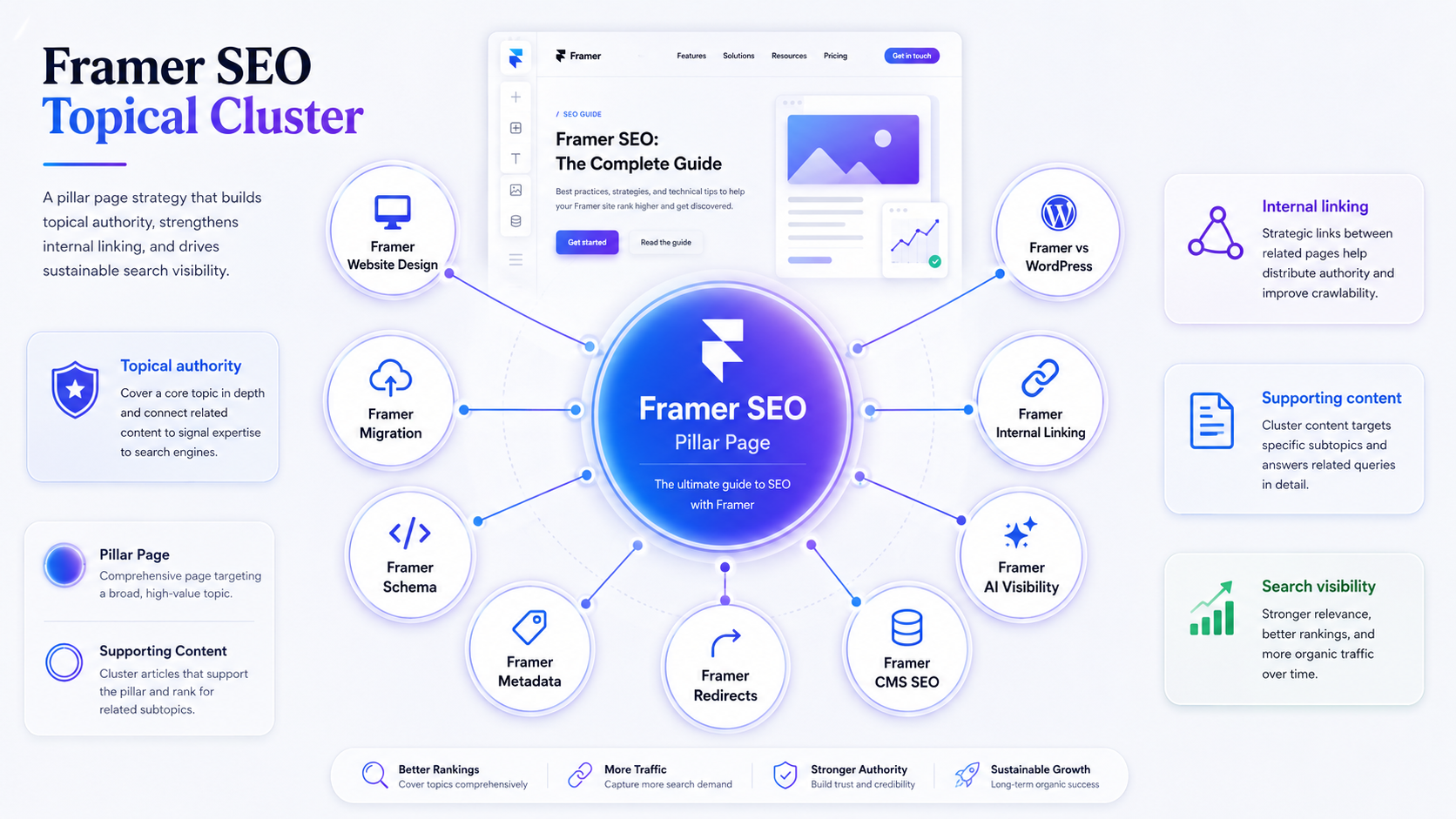
Group related pages around pillar topics. The pillar covers the broad topic; supporting content covers specific sub-topics and links back to the pillar. This concentrates authority and signals topical depth to search engines.
Content depth per page.
Pages targeting competitive commercial keywords need depth - usually 1,500–2,500 words of substantive content, not padding. Pages targeting narrower informational queries can be shorter. Match depth to the SERP and search intent, not to a fixed word-count target.
Entity consistency.
Use the full entity name consistently in key places such as titles, intros, schema, author bios, service descriptions, and About sections. Natural variation such as "we" or "our team" is fine once the entity is clear. Consistent entity naming helps both traditional search and AI extraction.
Internal linking strategy.
Plan which pages should rank highest, then route internal links toward them. Pillar pages should receive the most internal links; supporting content should link upward consistently. Don't link randomly - every internal link is a vote for the destination page's relevance.
Framer SEO checklist: GEO and AI search visibility
GEO (Generative Engine Optimisation) is what you do to make content extractable by AI answer systems such as ChatGPT, Perplexity, Claude-style assistants, and Google AI Overviews. The technical foundation overlaps with traditional SEO; the formatting requirements are stricter.
Citeable definitions in the first 150 words.
AI systems extract definitions to answer "what is X" queries. Place a clear, self-contained definition near the top of every page that defines a concept, service, or category.
Structured answer blocks.
AI engines prefer content that directly answers questions. Use H2s as questions where natural, and follow them with concise answers in the first paragraph. Detail comes after the answer, not before it.
Comparison tables.
Side-by-side comparisons in HTML tables (not images) are highly extractable. Use them when comparing platforms, services, options, or approaches.
FAQ sections.
FAQs formatted with FAQPage schema are easier for search engines and AI systems to interpret, even though rich-result display is never guaranteed. Include 5–8 questions per relevant page, with answers in plain language and self-contained meaning (no "as mentioned above" references).
Consistent entity language.
Use full names on first reference ("Google Search Console (GSC)"), then use the abbreviation. Apply this consistently across the site so AI systems can build a reliable entity map.
Self-contained paragraphs.
Each paragraph should make sense without surrounding context. Avoid pronoun chains that require reading three paragraphs back to understand "this" or "that". AI extraction works at paragraph and sentence level, not document level.
Framer SEO checklist: pre-launch verification
Before you publish, verify the foundation:
every page has a unique title tag and meta description
every URL slug is final (changing them post-launch needs redirects)
sitemap.xml lists the pages you want indexed
robots.txt allows production crawling and blocks utility paths
canonical tags are set where duplicate content variants exist
heading hierarchy uses one H1 per page and logical H2/H3 structure
all meaningful images have descriptive alt text
JSON-LD schema is implemented and validated through Rich Results Test
internal links route from supporting content to pillars consistently
redirects from any previous URLs are mapped and tested
PageSpeed Insights shows acceptable Core Web Vitals on key pages
Framer SEO checklist: post-launch
The first 30 days after launch are when SEO problems are cheapest to fix. Most site owners ignore this window and discover the issues months later.
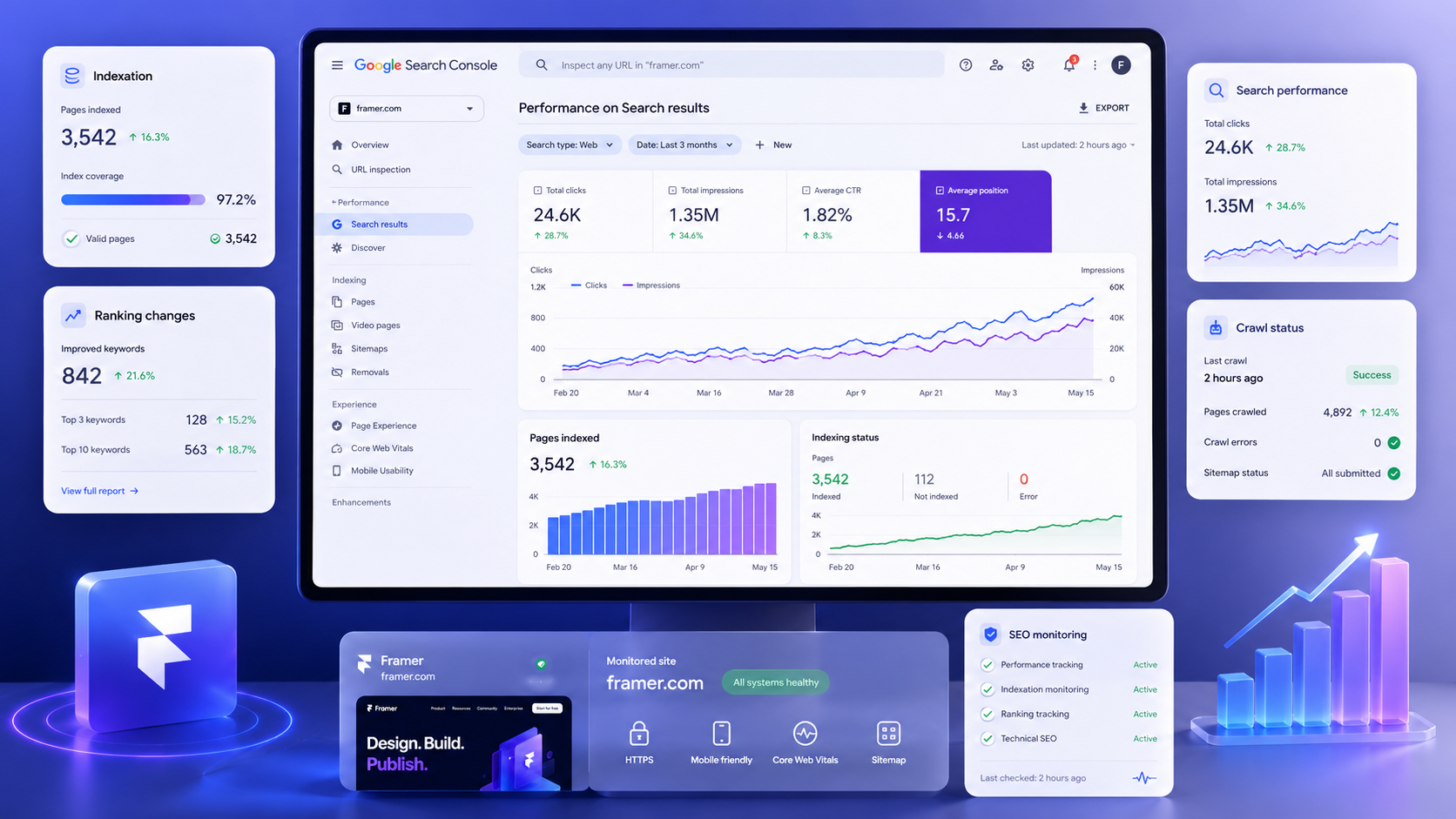
Submit sitemap.xml to Google Search Console within 24 hours of launch. Verify Google starts crawling within a few days.
Check indexation status weekly for the first month. Pages that aren't indexed need investigation - common causes include robots.txt rules, noindex tags, canonical issues, weak internal linking, duplicate content, or low content quality.
Monitor Search Console for crawl errors. Soft 404s, redirect chains, server errors, and blocked resources all show up here. Fix them before they accumulate.
Verify redirects are working if you migrated from another platform. Test old URLs in incognito mode and confirm 301s resolve to the right new pages. Missing redirects on important URLs can cost authority that took years to build.
Track ranking changes in Google Search Console and a dedicated tool like SE Ranking. Expect some volatility in the first weeks after launch, especially after a migration, as Google reprocesses the site.
Review Core Web Vitals in real-user data after a few weeks of traffic. PageSpeed Insights gives you lab data; CrUX data in Search Console gives you what real users experience.
If you want to verify your current Framer site against this checklist before committing to changes, you can use our free SEO scan to check technical, content, and indexation gaps in one report.
When Framer SEO needs more than the checklist
The checklist gets a Framer site to a strong technical baseline. What it doesn't do is solve competitive ranking problems for keywords with established, well-optimised competitors.
For competitive commercial keywords, ranking requires sustained content production, topical authority building, backlink acquisition, and ongoing technical optimisation as the site grows. That's outside the scope of a launch checklist - it's an ongoing SEO programme.
We Optimizz has delivered 894 websites across 35+ countries and holds a 4.9/5 rating across 96 reviews.
Our team has completed 299 Wix Marketplace projects, is a Wix Legends Partner since 2022, and is Semrush Certified. We run platform-agnostic SEO programmes across Wix Studio, WordPress, Shopify, and Framer.
If your Framer SEO needs go beyond the checklist - competitive markets, migration projects, ongoing optimisation, GEO architecture for AI search visibility - that's where the agency-led work starts. The free SEO scan is the fastest way to see whether your current site has the foundation right before you invest in deeper work.
Key takeaway: Framer SEO success comes down to using the platform's technical controls correctly - metadata, URLs, sitemap, schema, redirects, performance - and layering strategic decisions on top: keyword research, topical clusters, internal linking, content depth, and GEO formatting. Framer provides the tools; strategy is what separates Framer sites that rank from Framer sites that don't.
FAQ
Is Framer good for SEO?
Yes. Framer provides editable metadata, clean URLs, sitemap.xml, robots.txt, redirects, and JSON-LD structured data via custom code. Rankings depend on strategy - keyword targeting, content architecture, internal linking, and topical authority - not on the platform alone.
Does Framer support structured data?
Yes. Framer supports JSON-LD structured data through custom code in page settings. For CMS pages, schema can often be managed with CMS fields and template-level custom code, depending on setup. Validate every implementation through Google's Rich Results Test.
How do I add meta titles and descriptions in Framer?
Through page settings in the Framer editor. Set unique title tags and meta descriptions on every page before publishing - Framer's auto-generated defaults aren't optimised for search.
Does Framer handle redirects?
Yes. Framer's redirect system handles 301 redirects through site settings. Map every redirect when migrating from another platform and test old URLs after launch to verify they resolve correctly.
Is Framer faster than WordPress for SEO?
Framer's managed hosting and CDN delivery can produce strong baseline performance with less configuration. WordPress can match or exceed Framer's speed with proper hosting, caching, and optimisation, but it usually requires more setup.
Can a Framer website appear in AI search results?
Yes. A Framer website can become more visible in AI search experiences when it uses clear definitions, structured answer blocks, comparison tables, FAQ schema, consistent entity naming, and crawlable content that answer systems can understand.
Author bio
Barry Roodnat is the founder of We Optimizz, a Wix Legends Partner since 2022, Semrush Certified SEO Specialist, and recipient of the Wix Developer Award. He builds platform-agnostic websites across Wix Studio, WordPress, Shopify, and Framer, with SEO and GEO as the foundation rather than an afterthought. LinkedIn
Websites that
launch and convert.
We build Framer sites that rank, load fast, and turn visitors into clients. Strategy first. Design second. Results always.